Philips Lumify iOS cable: a bench order of operations
Same symptom on your system?
Tell us your model and what it is doing. A GEPROBE engineer replies with a diagnosis path, part options and pricing — usually within 6 hours, with no obligation.
Chat on WhatsApp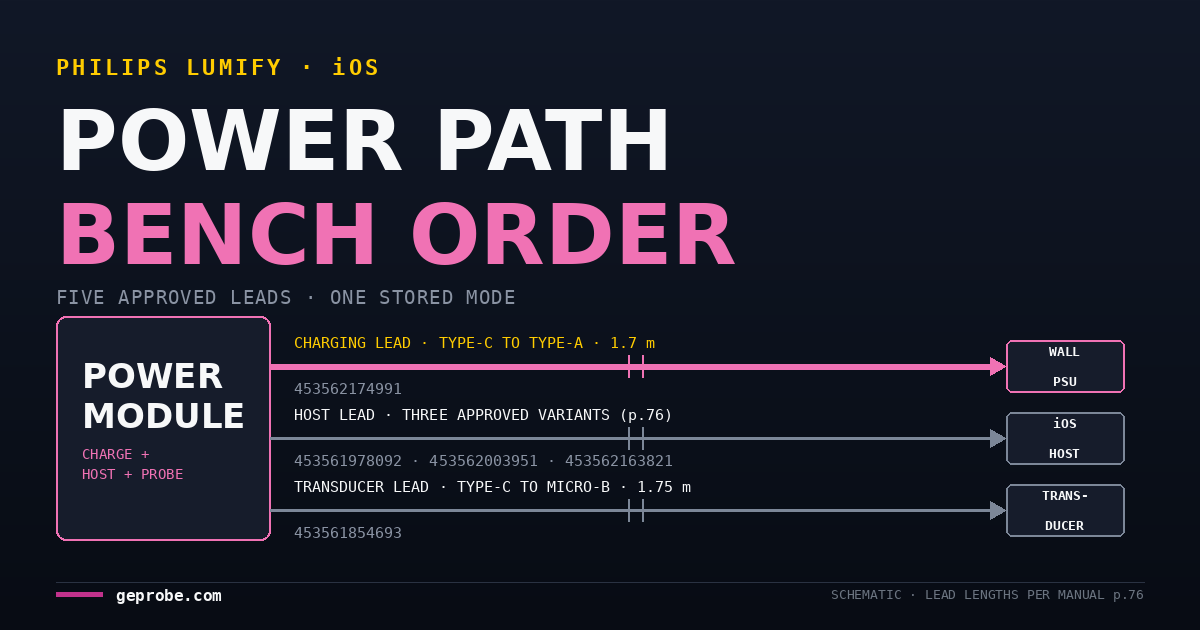
Almost every Philips Lumify iOS cable question arrives too late. The kit has been bought, unpacked, and found short of a lead, and the one question that would have settled it earlier was never asked.
The order below is the order the work actually happens in. Each step leaves a record, and each step can send the kit back to the seller before money moves.
Scope: Lumify 5.1.2 iOS user manual, document 3000 135 93553_B/795, November 2025, read 2026-11-22, with the June 2023 revision (4535 621 66711_A/795) held alongside it. Regulatory status read from openFDA the same day.
Step 0: read the connection mode out of the app, not the box
The kit's lead set is decided by a choice stored inside the Lumify app, and that choice is made on first launch.
The app asks you to register, then offers Lightning or USB-C, then direct connection or the Power Module route (November 2025 manual, pp. 125-127).
That selection is retained until the app is uninstalled or the settings are changed (p. 125).
That single fact explains most "wrong cable" purchases.
A kit configured for direct connection, with a module still bolted to the tablet, will not scan at all: the app blocks the scan and names the module as not required for this configuration (p. 126).
The module itself is not the variable. Philips documents it as working with iOS hosts on either connector (p. 127).
| Stored mode | Leads that must be present | First evidence at connect |
|---|---|---|
| Lightning host, module in a Philips case | Rigid Lightning-to-USB-C connector, transducer lead, charging lead | Transducer name appears on the imaging display (p. 124) |
| Lightning host, module on the adhesive plate | Flex Lightning-to-USB-C lead, transducer lead, charging lead | Same |
| USB-C host in module mode | Flex Type-C-to-Type-C lead, 15 cm, transducer lead, charging lead | Same |
| USB-C host in direct mode | Transducer lead only | Lumify driver enabled in iOS settings, then device reboot (pp. 125-126) |
| Kit sold as "USB-C cord included", no mode stated | Undefined | Reject the description before discussing price |
Step 1: inventory the leads against the manual revision you actually hold
The manual's electromagnetic-compliance table names the cable types and lengths the system was tested with, and confines the user to that list (p. 76). Anything outside it is an unapproved substitution, however well it fits.
That table changed between revisions, and the change is the reason old parts lists fail.
The November 2025 revision lists five leads. The June 2023 revision listed two, both of them transducer leads (p. 76 of each).
A checklist copied from the older document is missing the host connector, both flex host leads, and the charging lead altogether.
| Lead role | June 2023 table, p. 76 | November 2025 table, p. 76 |
|---|---|---|
| Transducer lead, Type-C plug to Micro-B, 1.75 m | 453561854693 | 453561854693 |
| Transducer, Micro-B to Micro-B, 1.75 m, Android hosts | 453561871782 | Not listed |
| Rigid Lightning-to-USB-C connector | Not listed | 453561978092 |
| Flex Lightning-to-USB-C lead | Not listed | 453562003951 |
| Flex Type-C-to-Type-C lead, 15 cm | Not listed | 453562163821 |
| Charging lead, Type-C to Type-A, 1.7 m | Not listed | 453562174991 |
Two reading notes.
The module number was never the gap: the 2023 accessories table already carried 453561998453 (p. 77).
The Type-C-to-Type-C flex row is the one that changes decisions on newer iPads, because no earlier revision named a host lead for that connector.
If a seller's list has three items on it, the list predates the current manual.
Step 2: prove the charging path where the manual puts it
Charging has a fixed geometry and a current requirement, and both are stated.
The Type-C end goes into the power/transducer port on the module; the Type-A end goes into a charger with a Type-A port. The manual rules out charging through a Type-C charger port (p. 109).
Parallel charging is conditional. It needs a charger delivering at least 2 A, and it works with an iPhone. An iPad draws too much current for the module and the tablet to charge together (p. 109).
Charging during a scan, or anywhere inside the patient environment, is prohibited outright (p. 108).
Then the evidence ladder, cheapest first: the four-LED charge indicator, then the app page that reports Status and Charge Level, where 20% is named as the recharge line (pp. 99, 110).
A bright battery icon is not a connection test. It says the module holds charge; it says nothing about whether the host sees a transducer.
Step 3: grade the module with its own numbers
The module reports the figures needed to price it, and most sellers never open that screen.
Settings, then Lumify Power Module, exposes charge cycles, design capacity in mAh, full charge capacity in mAh, the ratio between the two, battery temperature and voltage (p. 99).
That turns a vague "battery still good" into arithmetic.
health_ratio   = FCC_mAh / DC_mAh
usable_minutes = 135 * health_ratio
kits_per_shift = ceil(shift_minutes / usable_minutes)
Worked example, with illustrative figures rather than measured ones: DC 3400 mAh and FCC 2650 mAh give a ratio of 0.78, so 135 minutes times 0.78 is about 105 minutes of module time per pack. An eight-hour shift then needs five packs.
The 135-minute constant is Philips's own product claim of over 2.25 hours of continuous scanning without overheating, not a bench measurement.
Assumptions, labelled: the capacity figures are invented for the worked example; the 2.25-hour figure is a manufacturer claim, not an independent test; no cooling gap is modelled.
Step 4: the acceptance checklist before the kit is released
Run this on the bench, not in the listing. Every line produces a value, not a tick.
- Connection mode as displayed in the app, and whether it matches the hardware on the desk.
- The five lead roles present or absent, by part number, against the November 2025 table.
- Charge path verified through a Type-A charger port, with the percent at start and end of charge.
- Status reported as Normal, and Charge Level above 20%.
- Charge cycles and the FCC-to-DC ratio, recorded as numbers.
- Software Version, module firmware version, module serial number and transducer serial number from the About dialog (p. 100).
- Whether a fresh app install will be needed, and who owns that step.
- Physical condition at the micro-B end of the transducer lead, which is the end that fails first (p. 122).
Step 5: clear the host before blaming the lead
Three host-side blocks produce a "no cable works" report, and no purchase fixes any of them.
The first is policy. The app needs USB connectivity for every transducer; where mobile device management disables USB devices at the endpoint, the app cannot reach the probe (p. 198).
The second is the driver. In direct mode the Lumify driver has to be enabled in the iOS settings, and the device rebooted before imaging (pp. 125-126).
The third is the device floor: Type-C or Lightning host meeting the storage, display, resolution and USB On-The-Go requirements in the manual (p. 89).
A fourth is expected behaviour rather than a block. Upgrading the app, upgrading the operating system, or moving the transducer to a new device all prompt a re-registration on the next connection (p. 102).
Step 6: sort the symptom into handling, configuration, or field safety
The same words cover three unrelated problems, and only one of them is a cable decision.
| Report | Bucket | Deciding evidence | Route |
|---|---|---|---|
| Re-registration prompt after an OS, app or host change | Documented behaviour | Manual note on upgrade and new-device prompts (p. 102) | Register again over a network; no recall action |
| Re-registration on an untouched kit | Field safety | Class I record Z-0152-2027, event 99878, 13,206 units, initiated 2026-09-24, ongoing | Clinical engineering and Philips, per local notice |
| Imaging drops when the cable to the tablet moves | Field safety | The same Class I record names the transducer-cable-to-tablet connection | Stop swapping leads; escalate with timing |
| No live imaging on an Apple USB-C host running iOS 18 | Field safety | Class II record Z-0883-2026, event 97843, 4,819 systems, initiated 2025-10-31, ongoing | Follow Philips instructions for that device |
| "Please connect a transducer" with a module fitted | Configuration | Popup raised when unfreezing with nothing attached (p. 128) | Attach a transducer, or swap the module if there is no response |
| Intermittent disconnects on a managed iPad | Host policy | USB restriction at the endpoint (p. 198), or a disabled driver (p. 125) | IT before parts |
| Wear or intermittent contact at the transducer end | Handling | Manual advises disconnecting at the device or module, not at the micro-B end (p. 122) | Cable replacement, then re-test |
Only the last row is reliably a parts order. The two Class records are reasons to stop, not reasons to shop.
Neither record is evidence that a particular kit in front of you is affected. Match serial numbers and market instructions with Philips before acting on either.
Where a repair bench signs off, and where it stops
GEPROBE's bench covers cable and strain-relief work, connector pin repair, EEPROM work, and compatibility verification on host systems (repair services) — reviewed 2026-11-22.
Physical cable faults and connector damage sit inside that scope. So does a module that reports an abnormal status once the charge path has been cleared.
Parts sourcing runs through the catalogue of ultrasound parts across the major brands (parts catalogue) — reviewed 2026-11-22.
Three things stay outside the bench: app provisioning, device compatibility sign-off, and any action arising from a field safety notice. Those belong to Philips and to the competent authority for the kit's market.
Turnaround and warranty terms are set per item at quotation, never assumed from a page.
Sources
- Philips Lumify iOS user manual, 5.1.2, document 3000 135 93553_B/795 (PDF) — reviewed 2026-11-22. Approved-cable and accessory tables (pp. 76-77); module settings readouts (p. 99); About dialog (p. 100).
- Same manual — app install and registration notes (pp. 101-102); charging procedure and current limits (pp. 108-110); transducer connection and handling (pp. 122-128).
- Same manual — device requirements (p. 89); ports and USB policy (p. 198).
- Philips Lumify iOS user manual, June 2023, 4535 621 66711_A/795 (PDF) — reviewed 2026-11-22. Approved-cable table (p. 76) and accessory table (p. 77), used for the revision comparison.
- Philips Lumify iOS Power Module product page, HCFUS0069 — reviewed 2026-11-22. Continuous-scan claim of over 2.25 hours, and compatibility with more than 20 Apple devices.
- Philips Lumify iOS charging cable product page, HCFUS0095 — reviewed 2026-11-22. Type-A to Type-C charging lead, and the parallel-charging description.
- openFDA device enforcement, recall Z-0152-2027 — reviewed 2026-11-22. Class I, event 99878, 13,206 units, initiated 2026-09-24, status ongoing.
- openFDA device enforcement, recall Z-0883-2026 — reviewed 2026-11-22. Class II, event 97843, 4,819 systems, initiated 2025-10-31, status ongoing.
- GEPROBE repair services — reviewed 2026-11-22. Bench scope: cable and strain relief, connector pins, EEPROM, host verification.
- GEPROBE parts catalogue — reviewed 2026-11-22. Brand scope of stocked and repairable parts.
- GEPROBE — reviewed 2026-11-22. Company scope: medical equipment sales and repair.
Related Articles
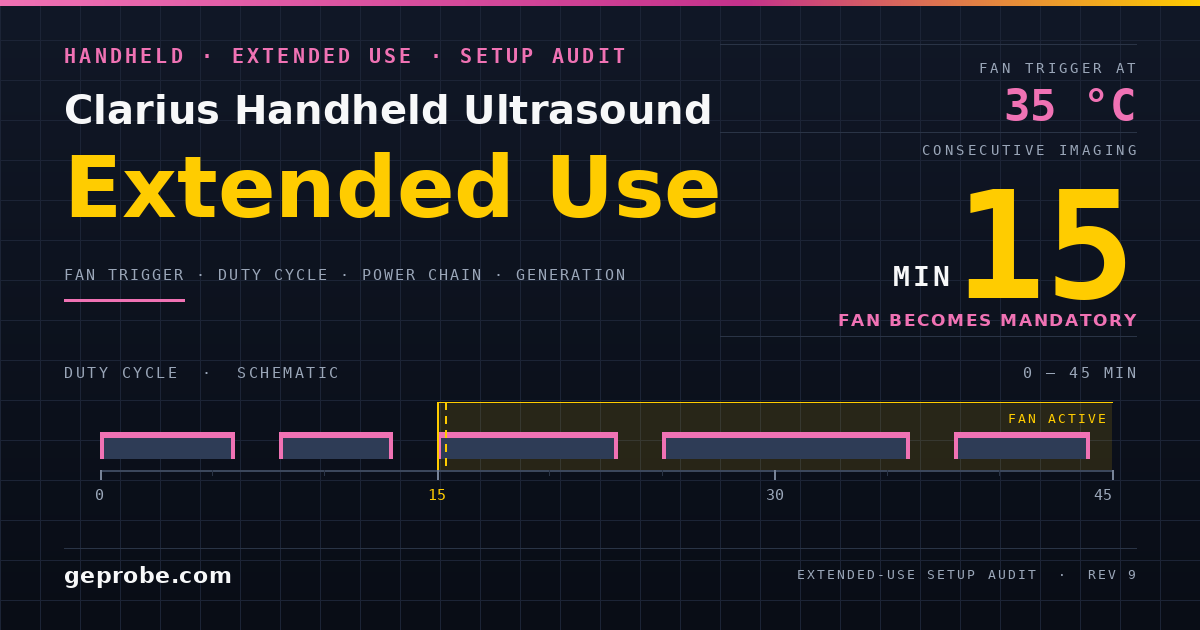
Clarius Handheld Ultrasound Extended Use: A Setup Audit
A fault-domain audit for Clarius handheld ultrasound extended use: measure the fan trigger, size the duty cycle, and verify the power chain.

Cross-Border Ultrasound Probe Repair: A Verification File
Which unit ships, what the round trip really costs, how to verify a returned probe with no spare, and who signs it back into clinical use.
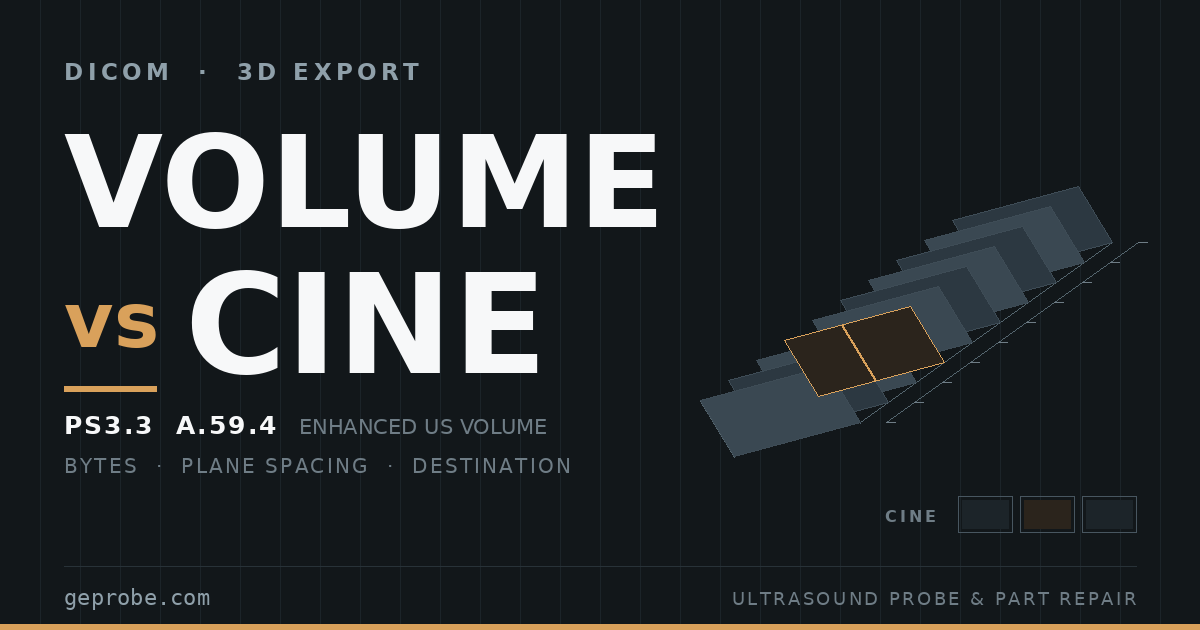
3D Ultrasound Export: Volume, Cine, or Probe Record
A 3D ultrasound export judged by byte arithmetic, plane spacing and destination pairing — and what the volume proves about the probe.